Set up shipping
Updated September 2026
Print orders ship directly from WHCC, the fulfillment lab, to your client. Because the lab does the shipping, the rates come from the vendor. There's nothing you need to configure to start selling, but it's worth knowing what your clients will pay.
View the vendor shipping rates
- Open Store in the sidebar, then click Settings.
- Click Shipping in the settings menu.
The Vendor Fulfillment section lists WHCC's current shipping options in a table:
- Shipping Type: the name of the shipping service.
- Shipping Time: the delivery estimate in business days.
- Price: the starting price for that service.
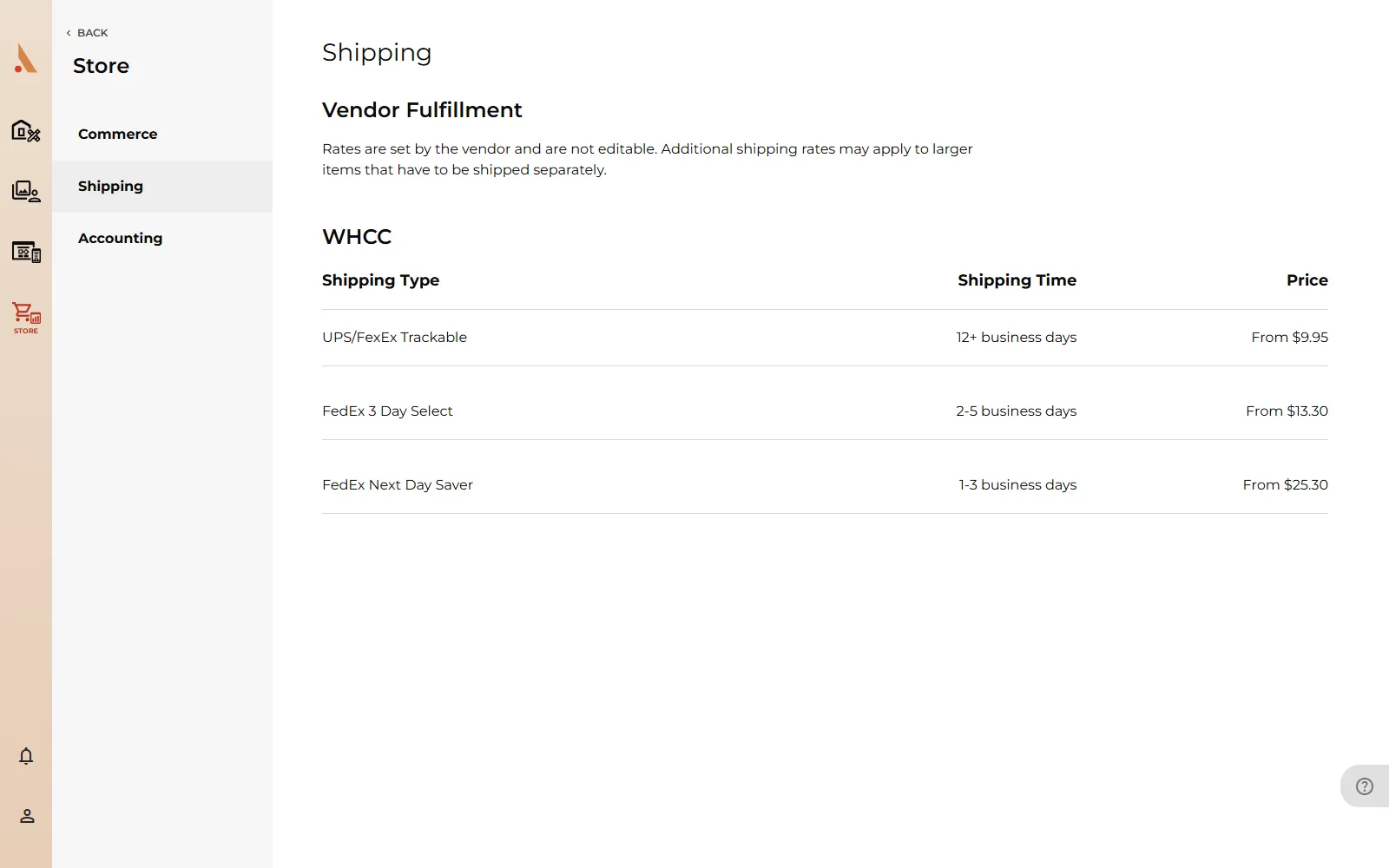 Rates are set by the vendor and are not editable. Additional shipping rates may apply to larger items that have to be shipped separately.
How clients pay for shipping
Your client chooses a shipping option during checkout, after entering their shipping address on the Stripe checkout page. The shipping fee is added to their order total, and it's passed through to the lab. It isn't part of your profit, and it doesn't come out of your markup.
On the order's detail page you can see what the client paid for shipping under the payment breakdown, and which delivery service was used under Shipping Information, along with the delivery estimate and, once shipped, the tracking number. See Orders and invoices.
Digital downloads
Gallery Download purchases have nothing to ship, so no shipping options or fees appear for them at checkout. If an order mixes prints and downloads, shipping applies only to the physical items.
Shipping estimates are business days from when the lab ships, not from when the order is placed. Printing time comes first, so set expectations with clients accordingly, especially around holidays.
Related
Still stuck?
We're happy to help. Contact support and we'll get back to you as soon as we can.