Resend or revoke access
Updated September 2026
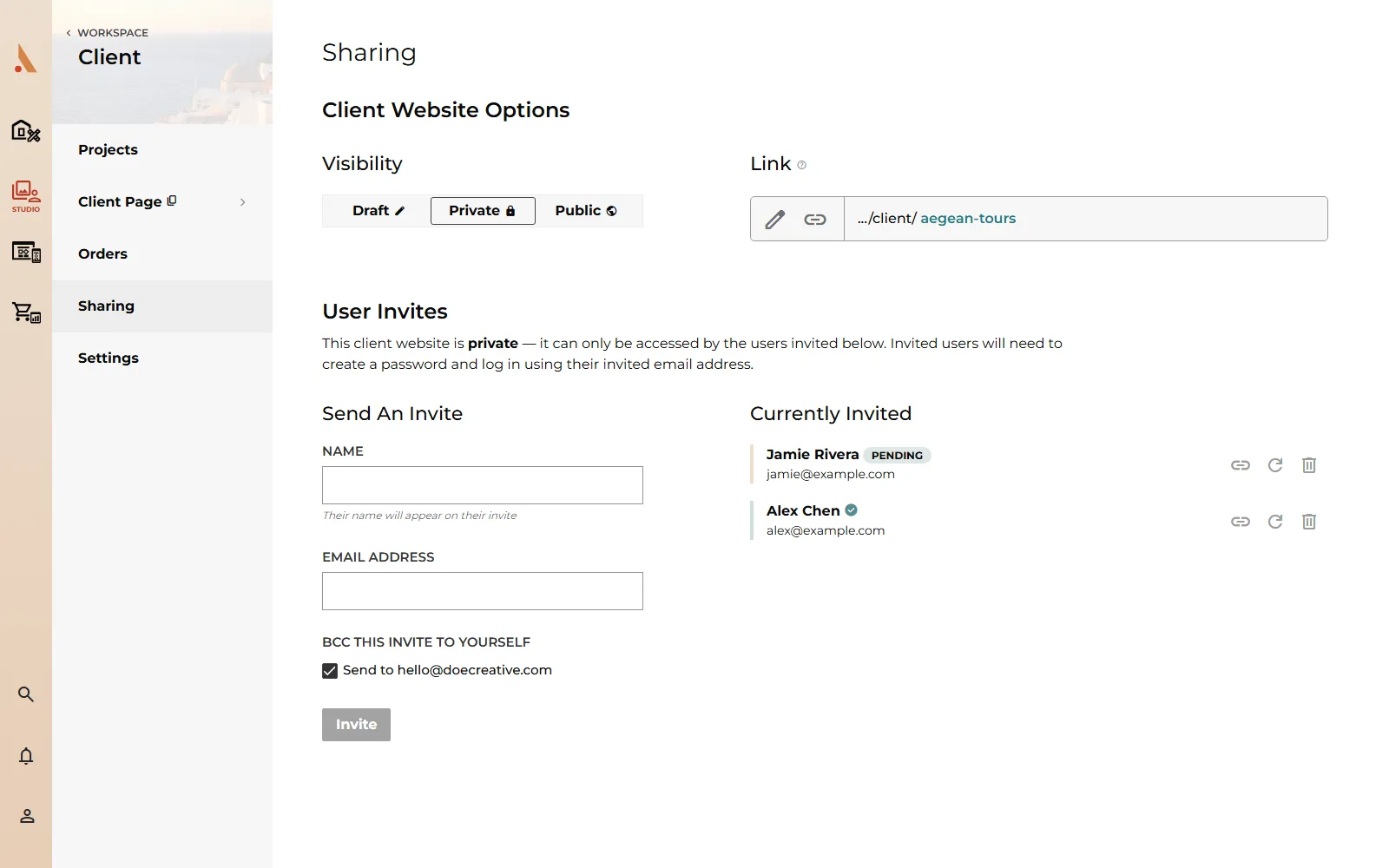
Everything here happens in the Currently Invited list on the client's Sharing page. Each row has hover actions for copying the invite link, resending, and removing access. What removing does depends on whether the invite is still Pending or already accepted (green check).
Resend a pending invite
Invite emails get buried, and clients sit on them for weeks. To send a fresh one:
- Find the person's row in Currently Invited.
- Click Resend Invite (the refresh icon).
- You'll see a confirmation that the invite was resent.
The new email carries a new single-use code. Tell your client to use the most recent email; an older invite link they saved may report its code as expired or already used. See Client access codes.
Revoke a pending invite
Invited the wrong address, or the client no longer needs access?
- Find the pending row (it shows a Pending badge).
- Click Remove Access (the delete icon).
The invite is withdrawn and the account Afterify pre-created for that email is deleted. The link in their invite email stops working; nobody can use it to get in. You can always invite the same address again later; that starts fresh with a new code.
Revoke accepted access
You can also remove someone who already created their account and has been viewing the gallery:
- Find their row; accepted users show a green check instead of a badge.
- Click Remove Access and confirm.
The effect is immediate: their access to this client's gallery is removed, and the next time they open the gallery they're bounced to the login screen instead. Their Afterify login itself still exists (they may have access to other galleries you've shared), but this client's pages are locked to them.
Revoking access doesn't delete anything from the gallery; photos, favorites and orders are untouched. To take the whole gallery offline for everyone instead, set the client to Draft. See Share a gallery.
To give access back, send them a new invite from Send An Invite.
Related
Still stuck?
We're happy to help. Contact support and we'll get back to you as soon as we can.