Website settings
Updated September 2026
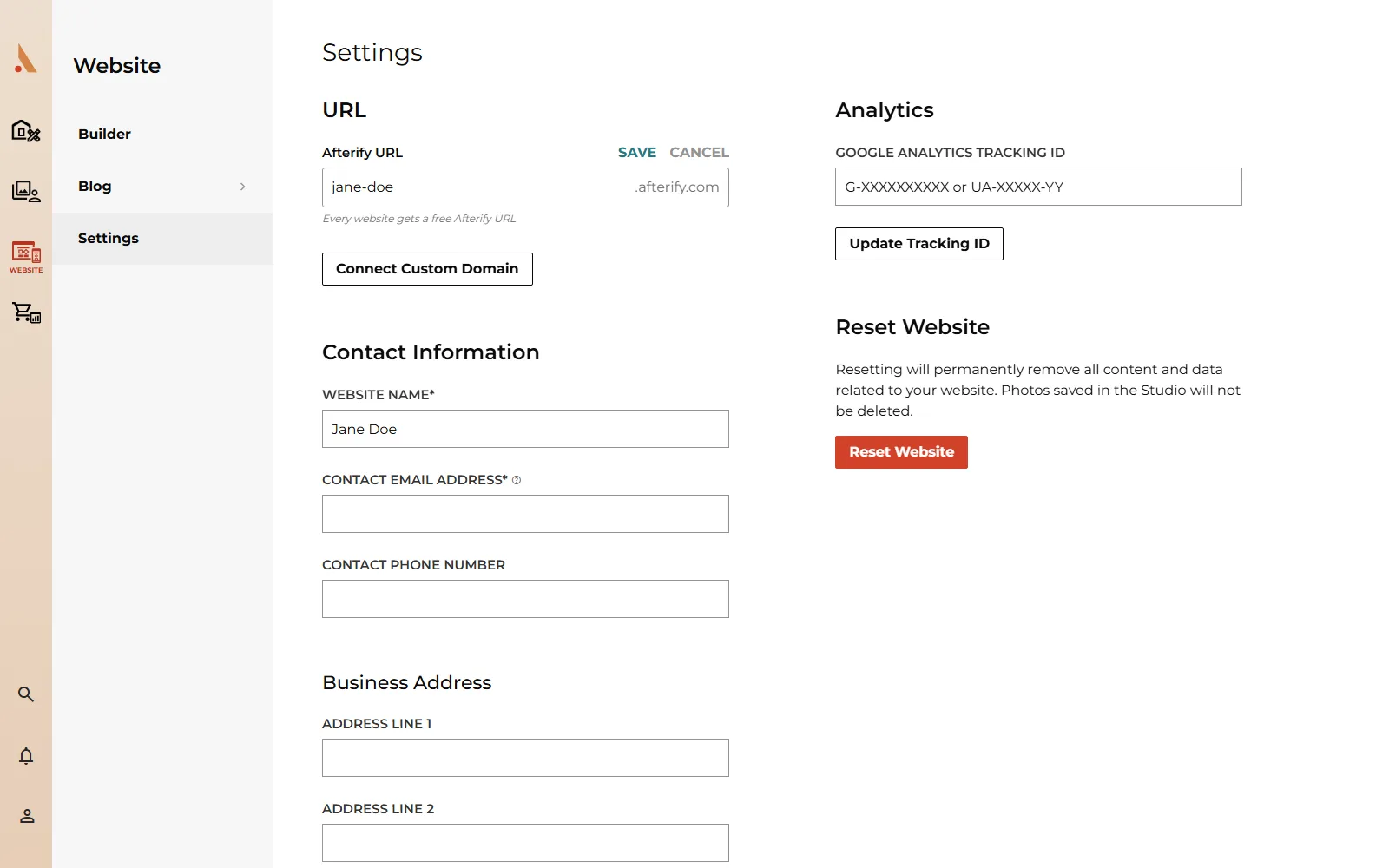
Open Website → Settings for everything that applies to your whole site rather than one page: your Afterify URL and custom domain, the contact details visitors see, your business address, Google Analytics, and the option to reset your site entirely.
Your Afterify URL
Every site includes a free Afterify URL. Under URL, click Edit next to Afterify URL to change the subdomain, then Save or Cancel. See Publish your website for the rules on changing it.
Below that, the Custom Domains card shows your connection status once you've connected your own domain, or a Connect Custom Domain button if you haven't. On the Free plan this section is locked behind an upgrade link instead. See Connect a custom domain for the full setup.
Contact information
Under Contact Information, fill in:
- Website Name (required): your site's name.
- Contact Email Address (required): shown publicly on your site. This is separate from your Afterify login email.
- Contact Phone Number: optional.
Both the email and phone number feed your site's footer wherever you've turned on the Contact block in your footer layout, so keep them current.
Business address
Business Address stores your studio's mailing address: Address Line 1, Address Line 2, City, State and ZIP Code. This is the site-level address, separate from the address you set on an individual Map block when you add one to a page; see Button, form, map and social blocks for that.
Analytics
Paste your Google Analytics Tracking ID (either the newer G-XXXXXXXXXX format or the legacy UA-XXXXX-YY format) and click Update Tracking ID to start tracking visits through your own Google Analytics property, alongside the Highlights already shown on your Builder overview.
Reset website
Reset Website permanently deletes all of your website's content and data: every page, section and component. Type reset into the confirmation field to enable the Reset Website button, since there's no undo once you confirm. Photos stored in your Studio are never touched; only the website itself is cleared, and you're left with a fresh site to start over.
A downgraded account in its read-only grace period can't edit the URL, update the tracking ID, or reset the site until it's back on a paid plan. See Billing, upgrades and downgrades.
Related
Still stuck?
We're happy to help. Contact support and we'll get back to you as soon as we can.