Plans at a glance
Updated September 2026
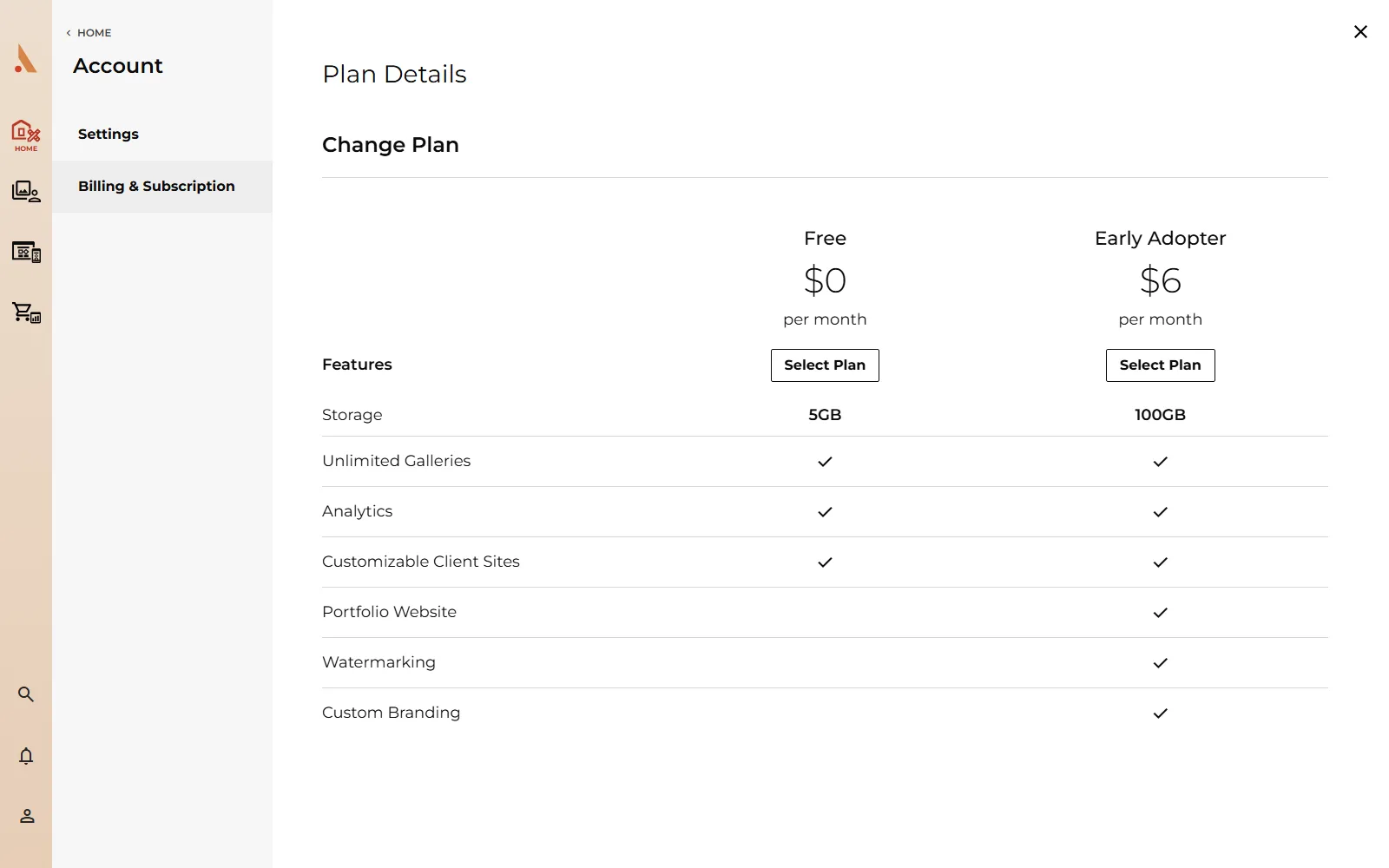
Afterify has four plans: Free, Amateur, Professional and Unlimited. Every plan includes the core workflow (clients, projects, galleries, gallery templates, background uploads, image optimization, a customizable website and the store). The differences are in storage, website capacity and a few premium features.
Plan comparison
| Free | Amateur | Professional | Unlimited | |
|---|---|---|---|---|
| Photo storage | 5 GB | 100 GB | 500 GB | Unlimited |
| Websites | 1 | 5 | 25 | Unlimited |
| Website pages | 1 | Unlimited | Unlimited | Unlimited |
| Website components | 10 | Unlimited | Unlimited | Unlimited |
| Video & audio in the website builder | No | Yes | Yes | Yes |
| Blog posts | 5 | Unlimited | Unlimited | Unlimited |
| Watermarks | No | Yes | Yes | Yes |
A few notes on the rows:
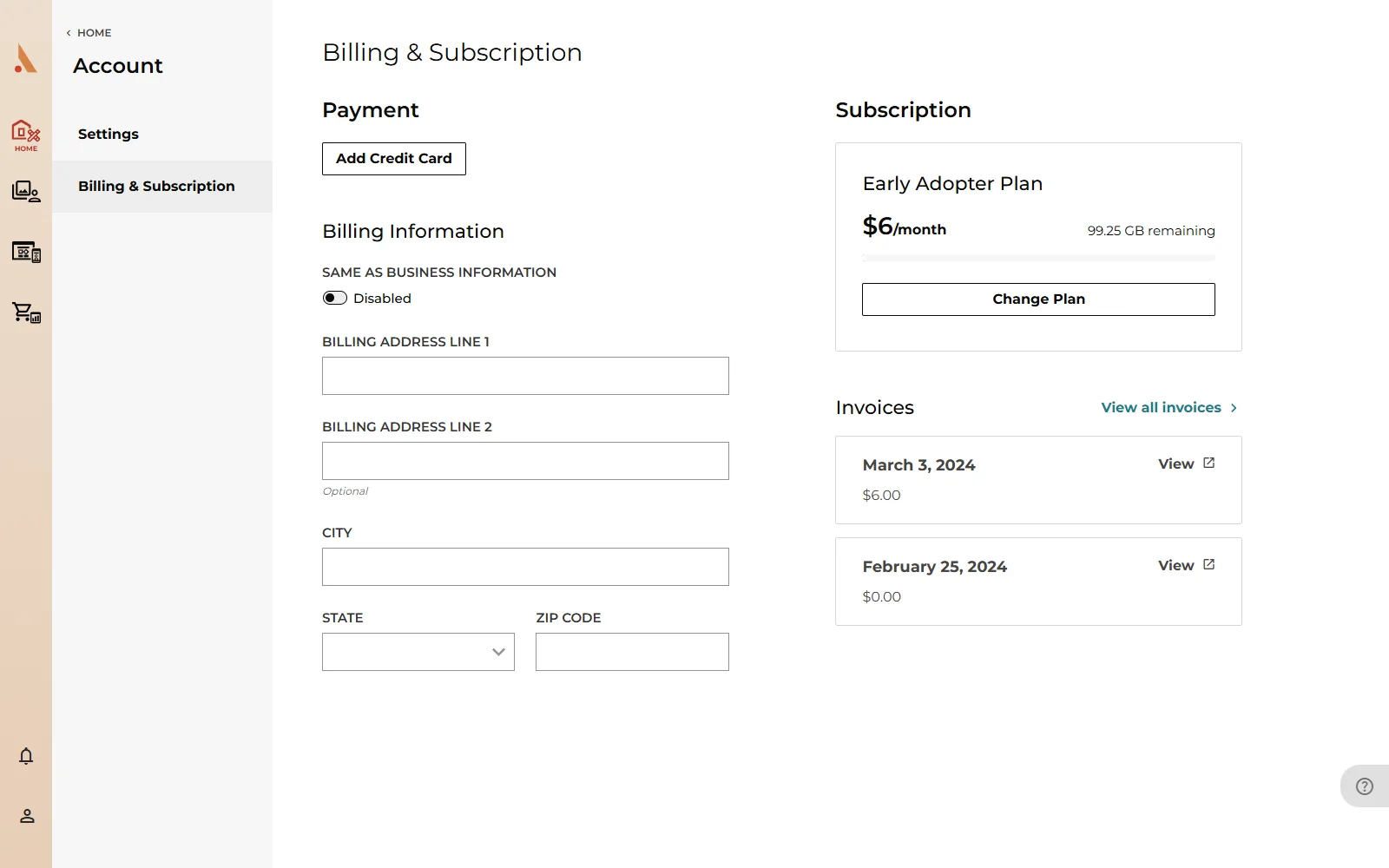
- Photo storage counts everything you upload to Studio. Your current usage is always visible in the account dropdown and on the Billing page. See Storage and plan limits.
- Website components are the blocks you add to pages in the website builder: text, images, galleries, forms and so on.
- Video & audio applies to uploading video and audio files in the website builder's media manager; photo uploads work on every plan.
- Watermarks protect gallery photos with your own mark. On the Free plan the Watermarks page shows an Upgrade your plan button instead of Add Watermark. See Add watermarks.
Also worth knowing
- The brand style guide (website typography, colors, buttons and forms) and logo and favicon uploads are paid-plan features. Free accounts can browse the style guide but see a Premium lock on editing. See Brand settings.
- If you downgrade from a paid plan to Free, the website builder becomes read-only. Your site stays online, but you can't edit pages until you upgrade again. A Free account that never paid can still edit its single page. Details in Billing, upgrades and downgrades.
Plan names in the app can differ slightly from the tier names above: the Amateur tier is currently sold as the "Early Adopter" plan on the upgrade screen.
Changing plans
You can upgrade or downgrade any time from Billing & Subscription (account dropdown → Billing & Subscription → Upgrade Plan or Change Plan). The full walkthrough, including what happens to your content when you downgrade, is in Billing, upgrades and downgrades.
Related
Still stuck?
We're happy to help. Contact support and we'll get back to you as soon as we can.