Welcome to Afterify
Updated September 2026
Afterify Studio is an all-in-one workspace for photographers. From one account at app.afterify.com you can:
- Deliver and proof client galleries: upload photos into projects, style them with gallery templates, and share them with clients who can favorite, comment and download.
- Build your website: a visual website builder with pages, blocks, a brand style guide and custom domains.
- Write a blog: publish posts straight to your site.
- Sell prints and downloads: a built-in store with product sets, price sheets, print fulfillment and Stripe payments.
The four main sections
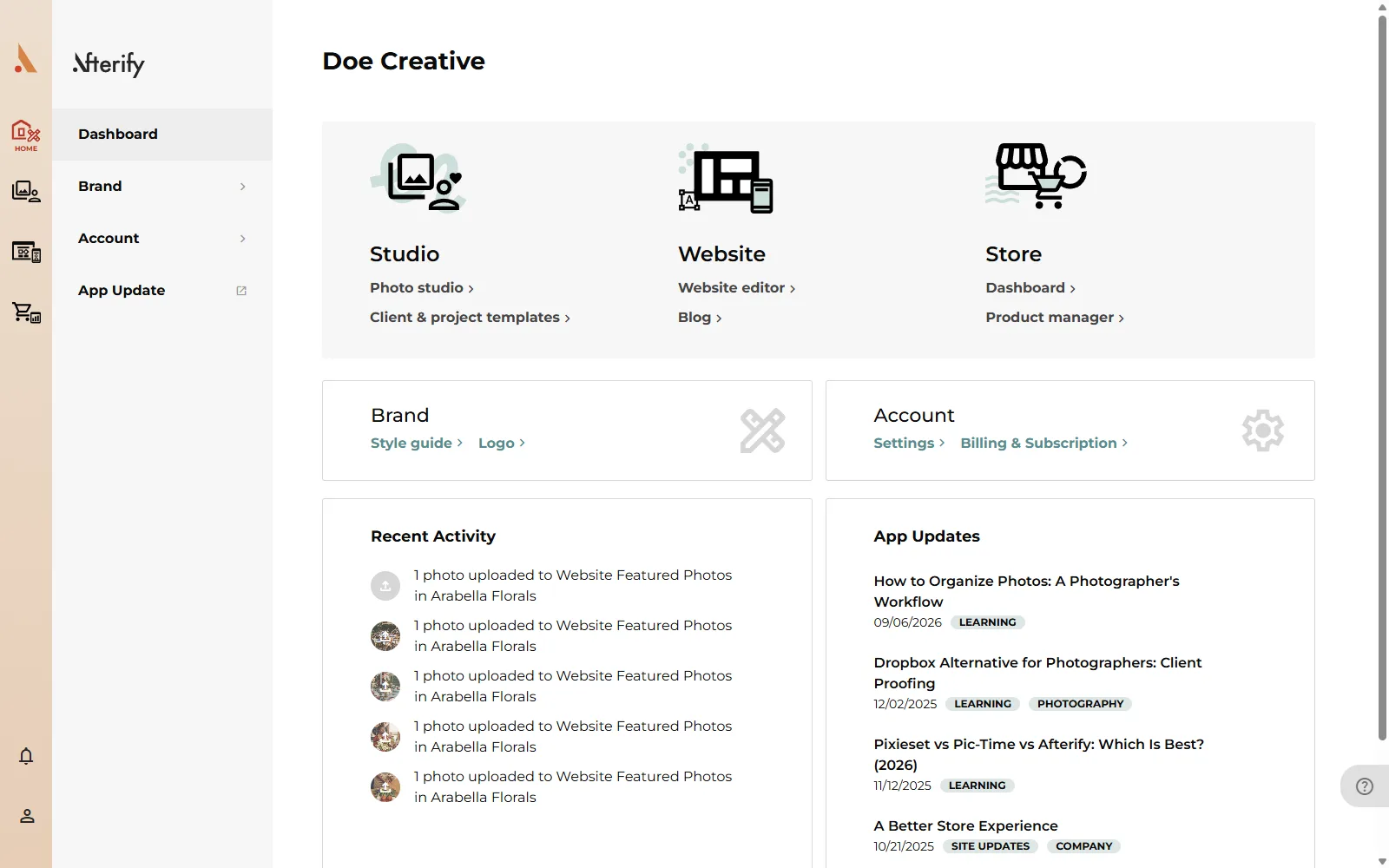
The sidebar on the left has four sections. Click the Afterify logo at any time to return to your dashboard.
- Home: your dashboard, with quick links into every section, your recent client activity, and shortcuts to brand and account settings. See Dashboard overview.
- Studio: your photo workspace. This is where clients, projects, photos, gallery templates, watermarks and downloads live.
- Website: the website builder and your blog.
- Store: products, orders, marketing and store settings.
The account dropdown
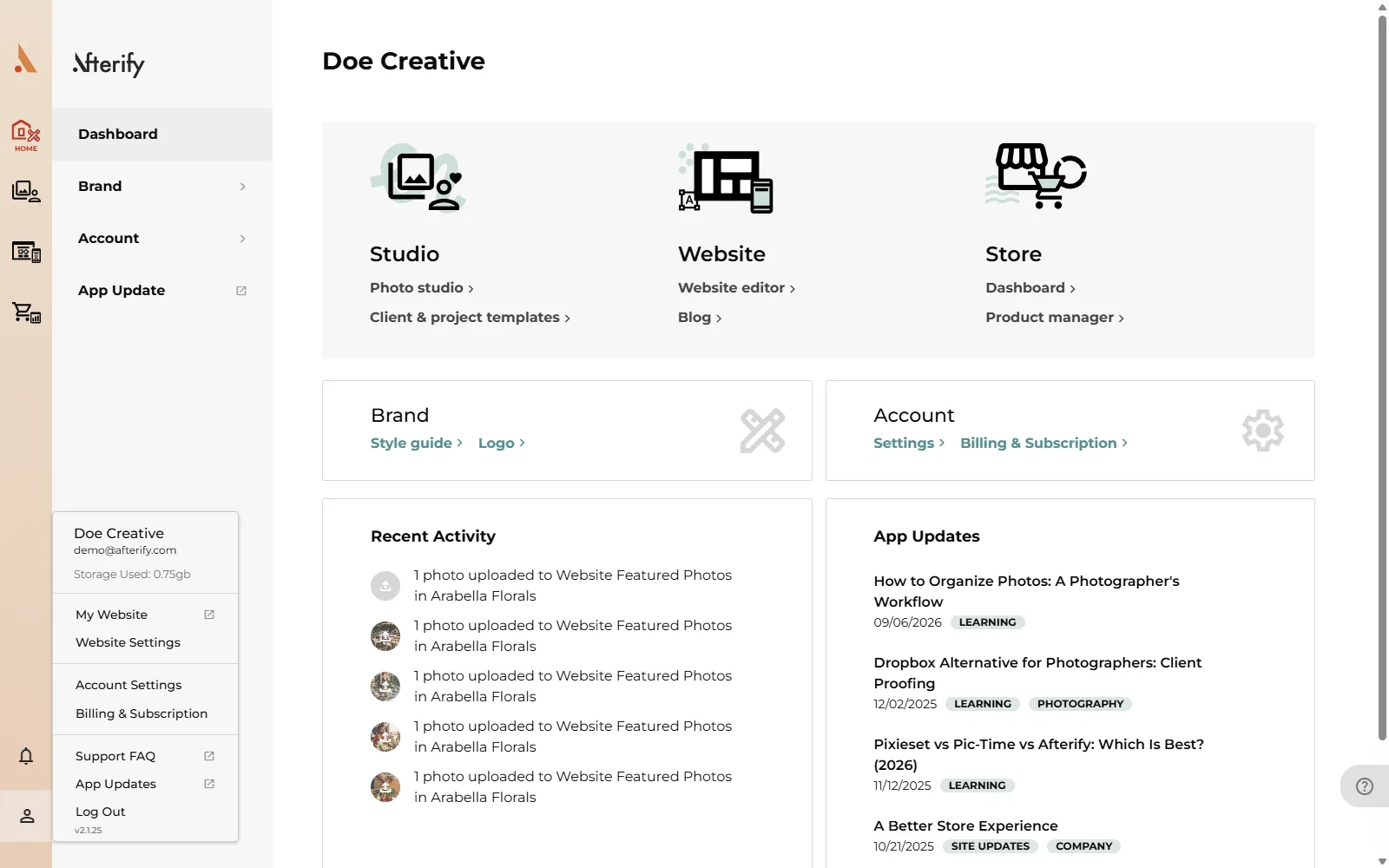
The person icon at the top right opens your account menu. It shows your business name, email and storage used, and links to:
- My Website: opens your published site in a new tab.
- Website Settings
- Account Settings: profile, business info and two-factor authentication.
- Billing & Subscription: your plan, invoices and payment method.
- Support FAQ and App Updates
- Log Out
Where to go first
Start in Studio: create a client, upload photos into a project, and share the gallery. The Quick start guide walks through it in about ten minutes.
Before you dive in, it helps to understand the Client → Project → Collection → Photo structure that everything in Studio is built on. See How Afterify is organized.
Afterify also installs as an app on your computer or phone, so it opens in its own window and keeps working on flaky connections. See Install the Afterify app.
Related
Still stuck?
We're happy to help. Contact support and we'll get back to you as soon as we can.